

To retrieve Data Server information of your PADS4 (Sub) Server
-
Click on the Server tab in the navigation pane.
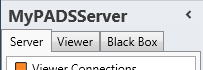
- Click Data Server in the list of available server information categories.
Data Server window
The Data Server window shows the Data Providers & Data Vault Providers that are in use. This enables you to check the settings, performance, and delivered real-time data of each individual Data Provider.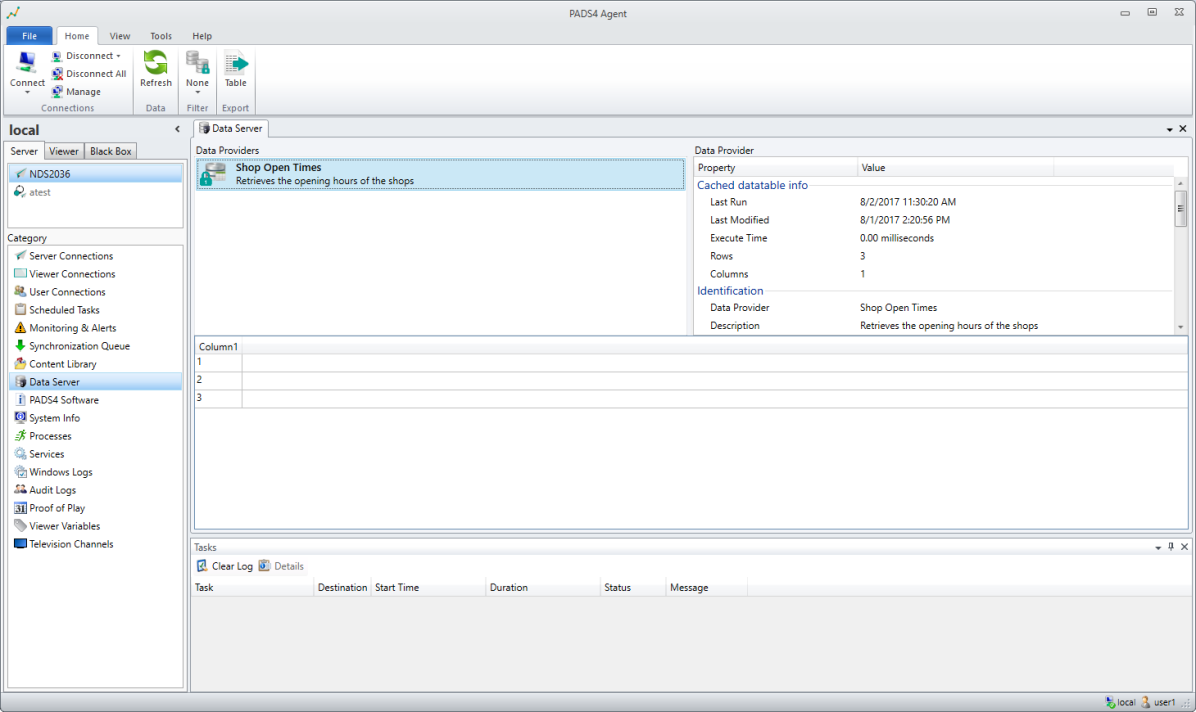
- All defined Data Providers currently used by one or more PADS4 Viewers.
- All defined Data Vault Providers currently active on the selected PADS4 (Sub) Server. The lock icon in front of the Data Provider type icon indicates that this is a Data Vault Provider.
Data Vault Providers
You can find more information about using Data Vault Providers in the PADS4 System Management documentation.Data Vault Providers will allow you to specify system-defined Data Providers, which are not editable by Designer Users, and encrypt the data. If you hover above the item in the list, a tooltip with detailed information appears. When you select one of the listed Providers, PADS4 shows detailed information in the right area (Data Provider) and the actual data at the bottom. Data Provider (right)
Read timestamps, performance details, and configuration settings of the selected Provider. The configuration settings are read-only. To change the configuration settings of a Data Provider, you must adjust the Data Provider in your presentation with the PADS4 Designer application. When the Provider is a Data Vault Provider, use the System Management application instead. Data Provider Results (bottom)
The real-time data is delivered by the selected Data Provider. This is the data that PADS4 Data Server distributes to all connected PADS4 Viewers.
The information of which Viewers are connected to a Data Vault Provider is not available. Only Viewers who have a Data Provider connection to a Data Server are visible.
If you connect to a PADS4 Server version 4.7 or lower, the GUI will show the older window layout.
If you connect to a PADS4 Server version 4.7 or lower, the GUI will show the older window layout.