

Reminder types
Set a reminder
1
Open the reminders
In the booking window, select Reminders.
2
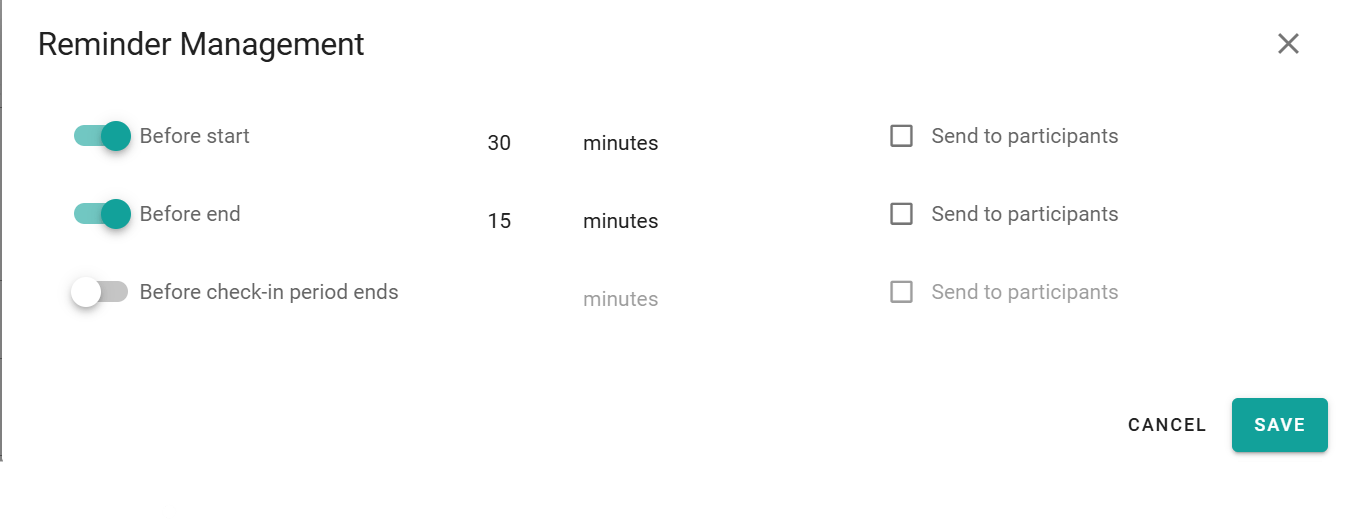
Turn on a reminder
Turn on the reminder that you need.
3
Set the time
Enter how many minutes before the event PADS4 sends the reminder.
4
Choose the recipients
Choose whether participants also receive the reminder.
5
Save the booking
Select Save.
Your administrator sets the default notification settings for all bookings. Your reminders replace these defaults for this booking.