

1. Configure mappings
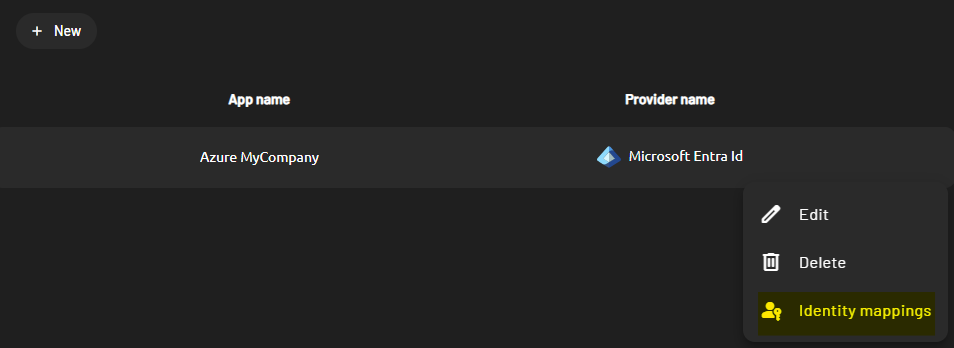
To configure these mappings:- On your newly created identity provider, click Identity mappings.
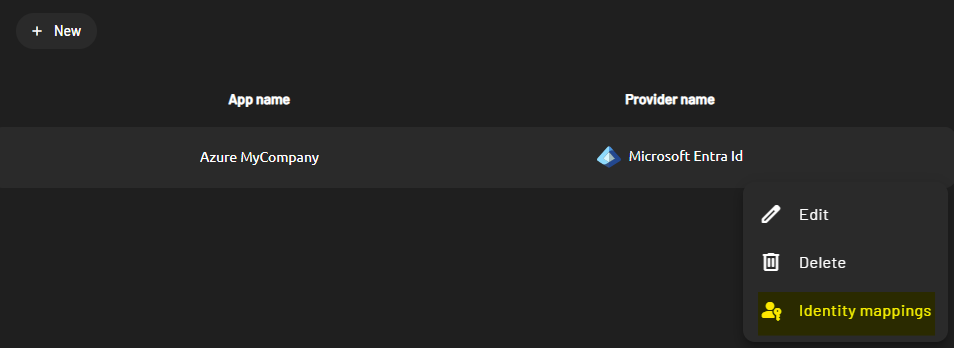
- On the Role mappings tab, click New to create a new role mapping.

- On the role mapping form, fill in two fields:
- The SSO provider group. This relates to the user group claim that you configured on the external identity provider.
- The PADS4 roles. These determine the roles assigned to a user based on the external identity provider group they belong to.
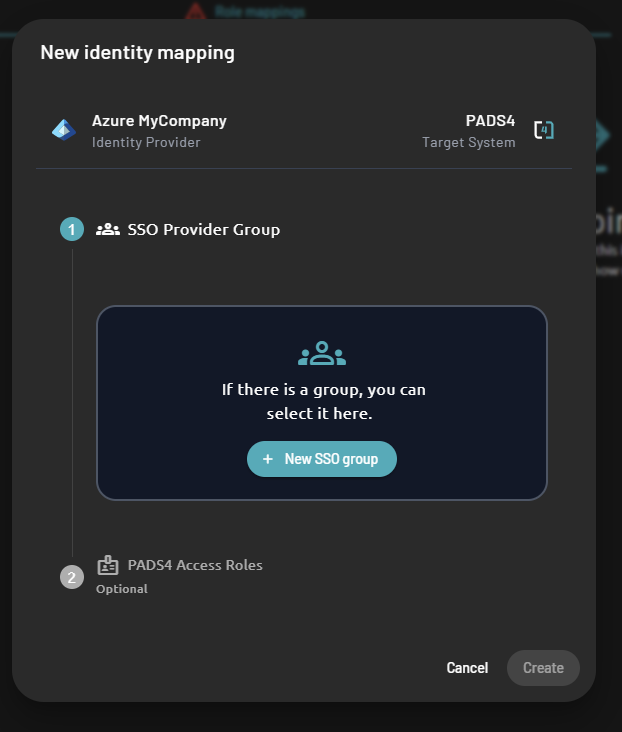
- Select an SSO provider group for your role mapping.
- If the SSO provider group you expect doesn’t exist yet, click New SSO Group to add another group to the list.
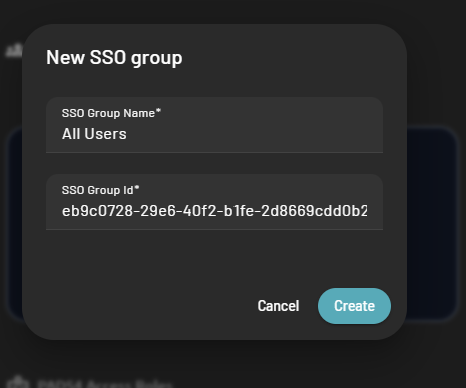
- The SSO Group Name only helps you remember the identity of the group you created.
- The SSO Group id must match the group claim value that you set up in the external identity provider claims configuration.
- By default, the group claim value is:
- The user group id for Azure
- The user group name for Okta
- By default, the group claim value is:
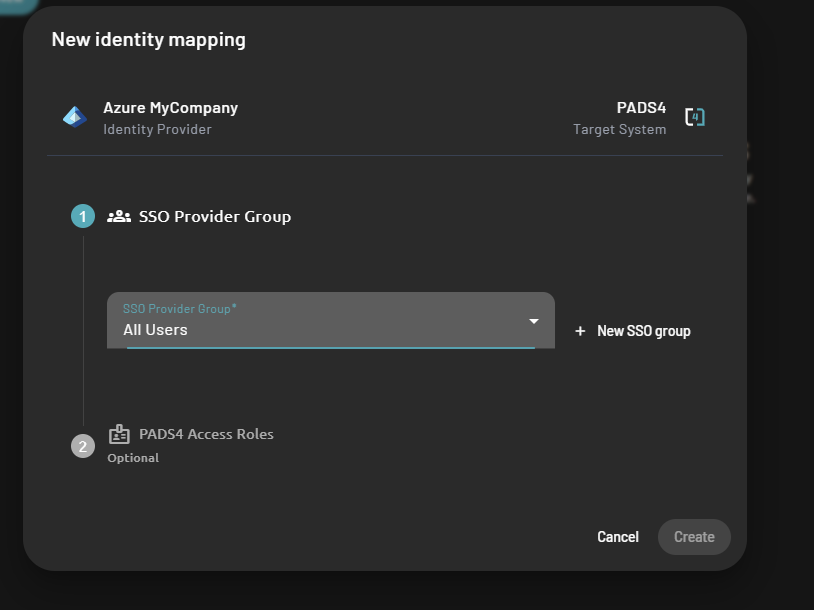
- Select roles in PADS4.
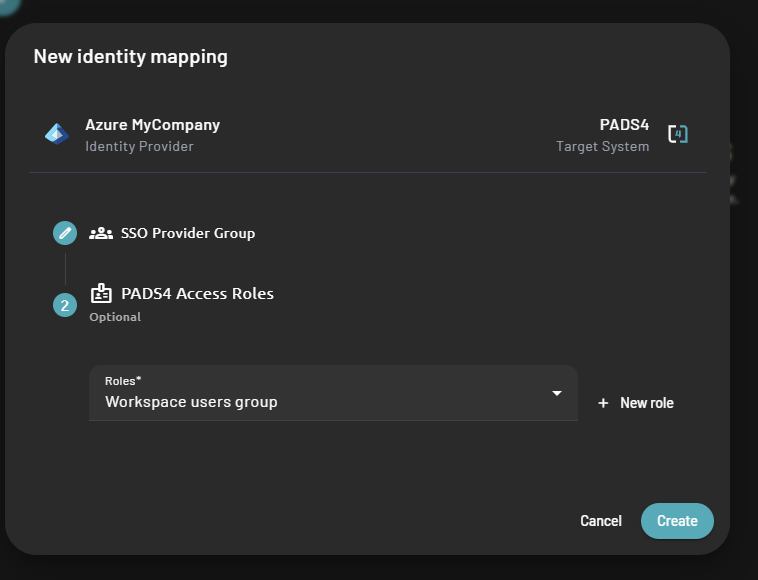
- Click Create to save the role mapping.
- Repeat this process for each external identity user group that you want to allow access to the application.
2. Update identity provider claims (optional)
You might want to edit the claims mapping on the PADS4 identity provider you created. Do this if you created your identity provider from a custom SAML 2.0 external identity provider, or if you want to extend or update your claims attributes. To update those claims:- On your newly created identity provider, click Identity mappings.
- Switch to the Claims tab.
If you created your identity provider from Azure or Okta, this tab might already contain default claims mappings that you can modify if required.
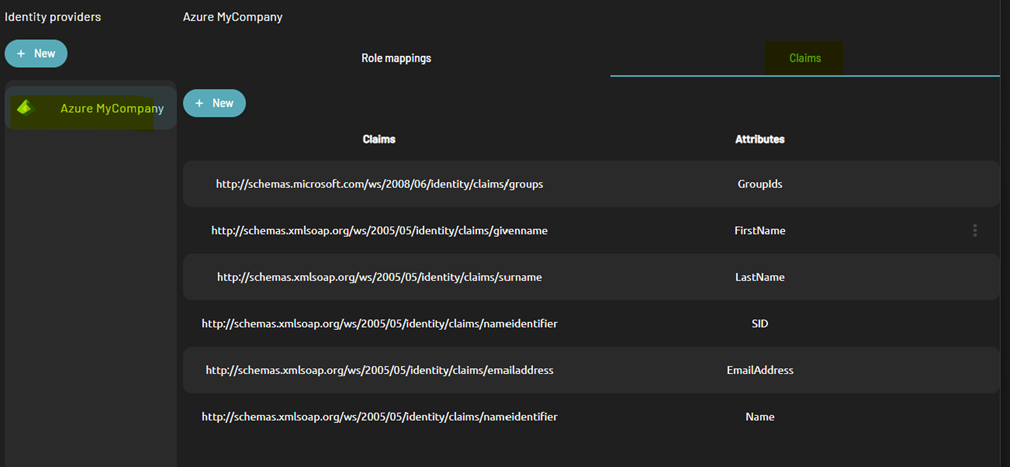
- Create a new claim or update an existing one. If you create a new claim, fill in the following information:
- The claim name. This relates to the claim name that PADS4 retrieves from the SAML response.
- The local attribute. This determines the property that PADS4 fills in with the claim value when it creates the PADS4 user.
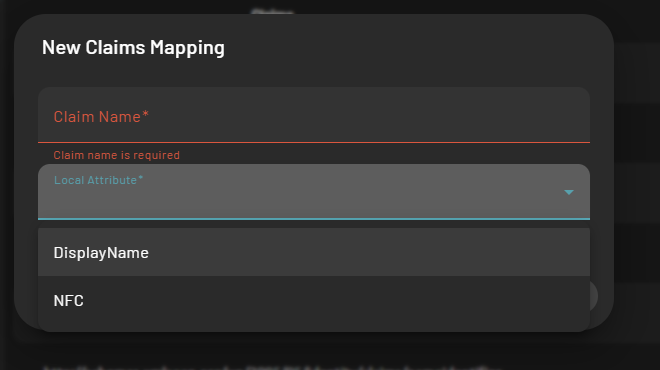
- You can only choose the local attribute from the list of PADS4 user properties below.