

How to configure SMTP for your PADS4 server
- To begin:
- Open your web browser.
- Navigate to the PADS4 server URL (either a DNS name or IP address).
- Log in using an Administrator account.
- Click on config
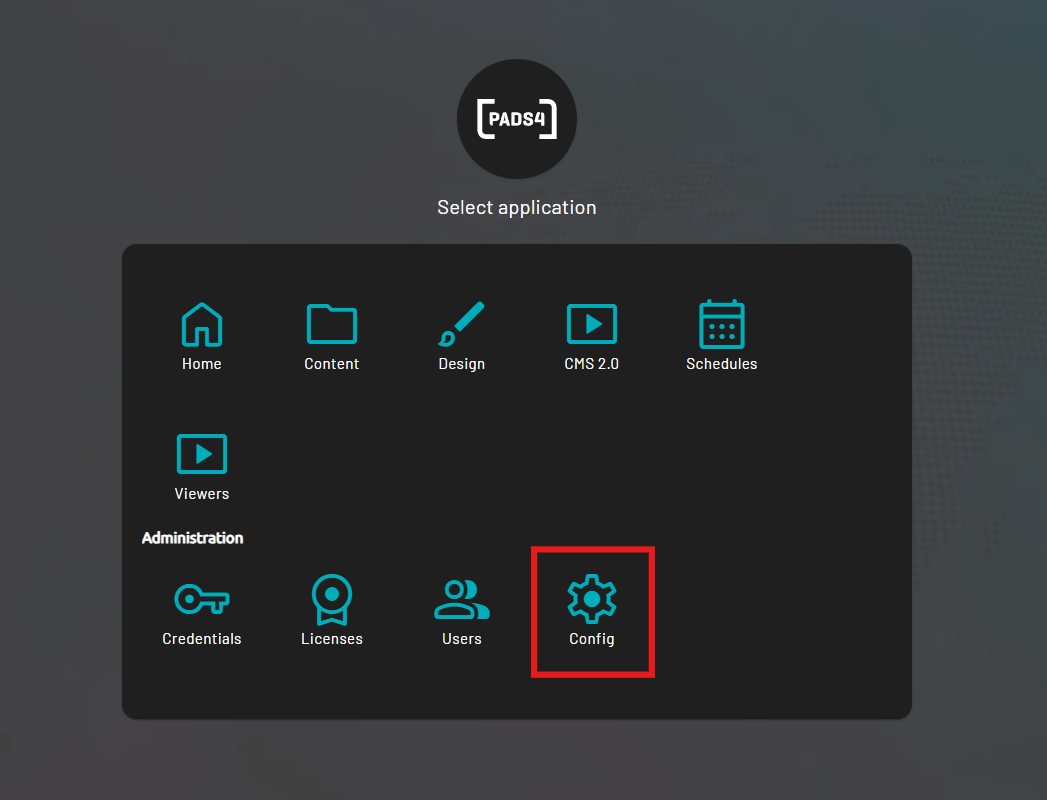
- Or, while you are already logged in:
- Use the Toggle Sidebar button at the top-left of the screen.
- Navigate to Config.
- Then click Edit.
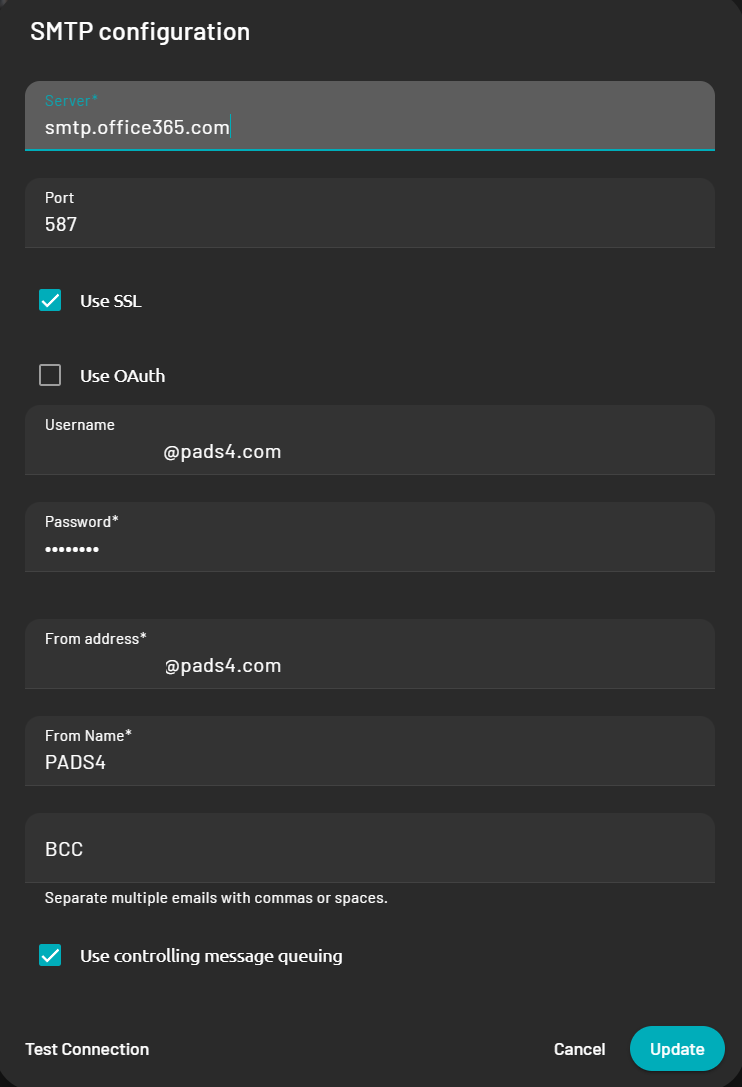
- Fill in your SMTP server and account details
- You can then test the connection at the bottom left which will return a green checkmark if the connection is properly configured.
