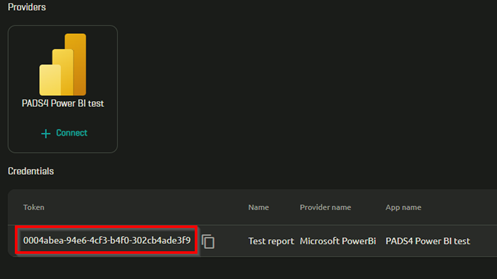
Before you begin
Make sure you have completed:- Azure Set-up — client ID, tenant ID, and client secret.
- PowerBI Services Admin Set-up — service principal added to the workspace.
- PowerBI Set-up — workspace ID and report or dashboard ID.
Step 1: Register the Power BI app in Credential Manager
- Sign in to PADS4 CTRL Center.
- Under Administration, open Credentials.
- Open the Providers tab and select New > Microsoft Power BI.
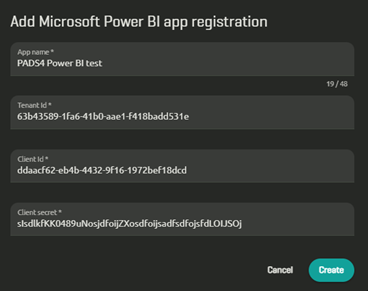
- Enter the values you collected from Azure:
- App name — a reference name shown in CTRL Center.
- Application (Client) ID
- Directory (Tenant) ID
- Client secret
- Save the registration.
Step 2: Connect a report or dashboard
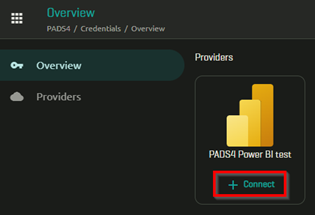
For every Power BI item you want to embed, generate a token from the registered app.- In Credential Manager, go to Overview.
-
Find the app registration you just added and select Connect.
-
Enter the item details:
- Workspace ID
- Type — Report or Dashboard.
- Report ID or Dashboard ID
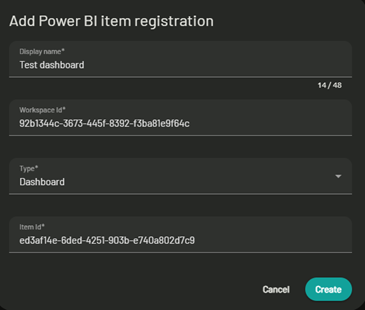
- Select Create.