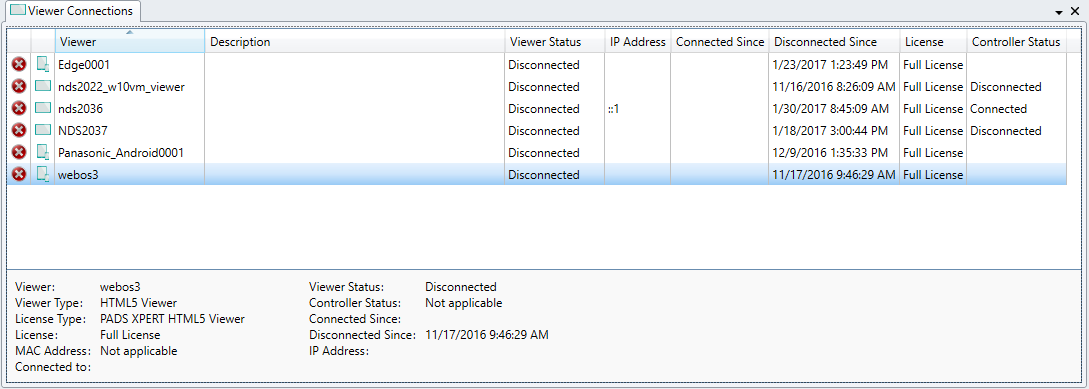
See how PADS4 Agent shows results for a selected server, viewer, or black box category in information windows, and how to refresh cached data.
After you have selected an information category of a server, viewer or black box in the navigation pane, PADS4 Agent retrieves the information and displays the results in a window in the information area. The way the results are displayed in the information window depends on the chosen category.For most categories, a number of context-sensitive functions will become available in the ribbon bar. The same context-sensitive functions can also be called by right-clicking the information window.By default, the PADS4 application uses one information window to display all results. This means that when you switch to another information category the same window will be reused to display the results. Optionally, you can manually open additional information windows as described in Working with multiple windows. You can also use the View options of the application to have the system automatically open new information windows.
The first time you select a certain information category, the information is always retrieved from the remote server or viewer. When you later select the same information category in the navigation pane again, the system response depends on the selected category. For performance reasons, categories with information that will almost never change will display the locally cached, previous results. Categories with dynamic information will always retrieve their information from the remote server or viewer again. If the information is retrieved from the remote server or viewer you will see a new task appearing in the tasks window. If no new task appears in the tasks window this means that the information is retrieved from the local cache.
To force the PADS4 Agent application to retrieve the requested information from the connected server or viewer, you must click Refresh on the Home tab of the ribbon bar or use the F5 shortcut key.
For some information categories (like all black box categories) the Refresh function is not available. The information of these categories is always available, so there is no need to refresh it.
Assistant
Responses are generated using AI and may contain mistakes.