

Before you begin
Your administrator sets default notification settings for all users.Open the settings
In the main menu, select Settings. The notification settings are in the Notifications section, and the reminder settings are in the Default Booking Reminder Settings section.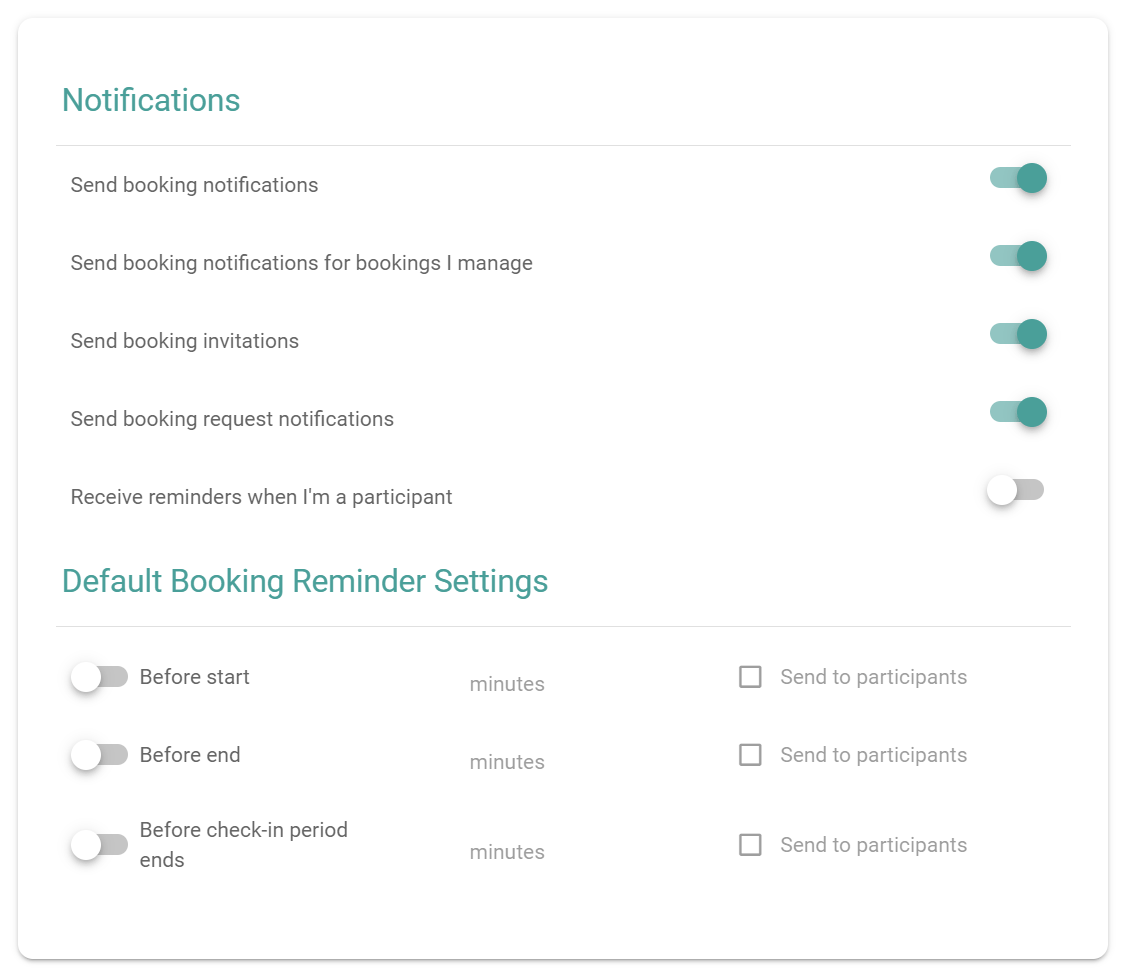
The Notifications and Default Booking Reminder Settings sections
Choose your notifications
Turn each switch on or off.Set the default booking reminders
Default reminders apply to the bookings that you make. For each reminder, set when PADS4 Workspace sends it, and who receives it.1
Turn on the reminder
Turn on the switch for the reminder that you need.
2
Enter the number of minutes
Enter how many minutes before the event PADS4 Workspace sends the reminder.
3
Select the recipients
(Optional) Select Send to participants to send the reminder to the participants of the booking too.