

- Open a web browser and go to https://canva.com/developers.
- Log in using your Canva account.
- Navigate to Your integrations.
- Click Create an integration.

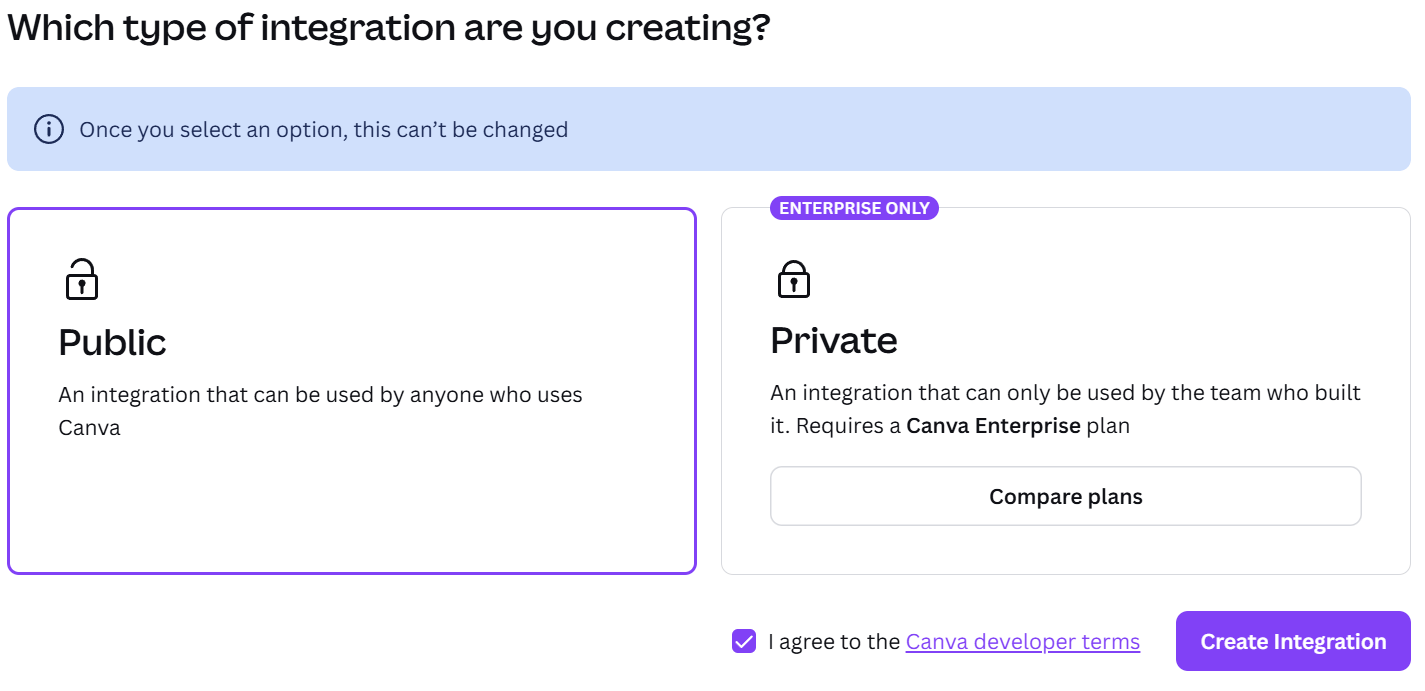
- Choose either a Public or Private integration. Accept the Canva Developer Terms and click Create integration.
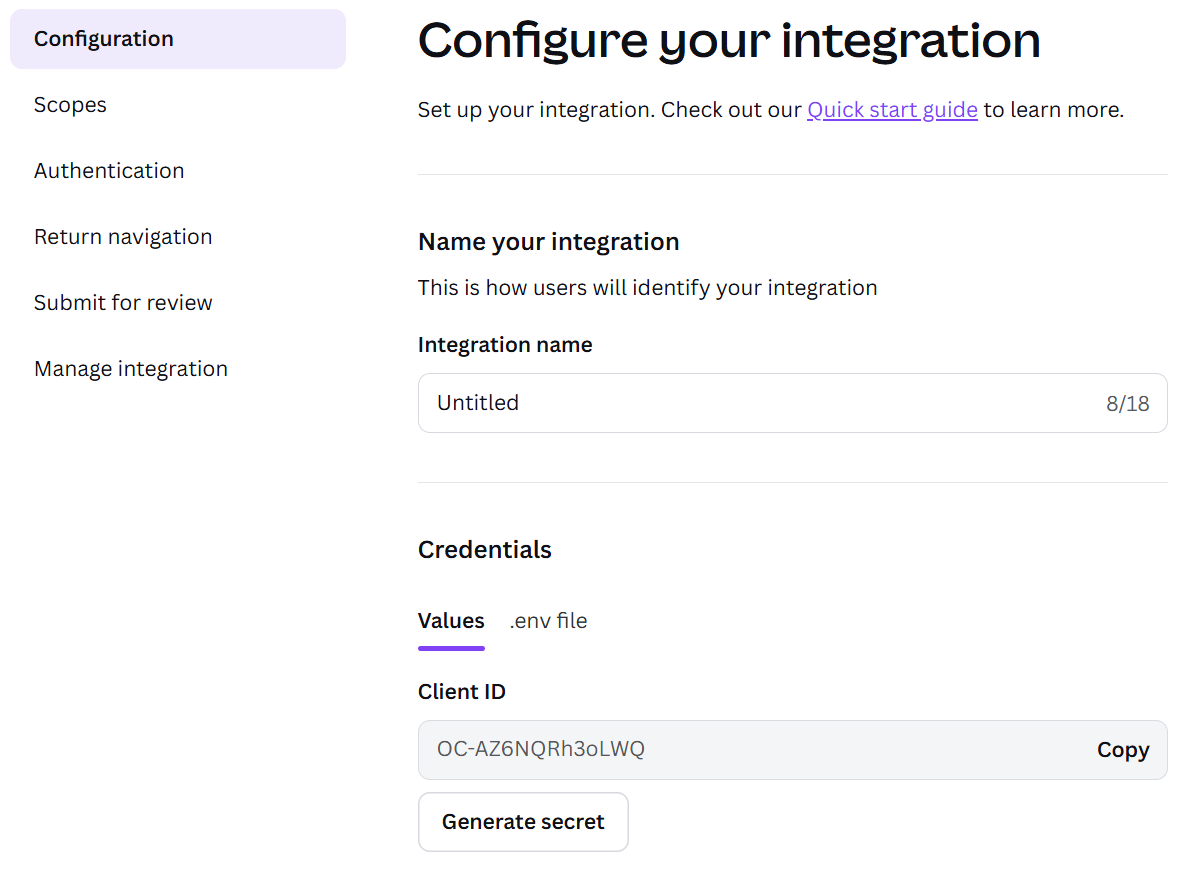
- On the configuration page, enter a name for the integration. Click Generate secret.
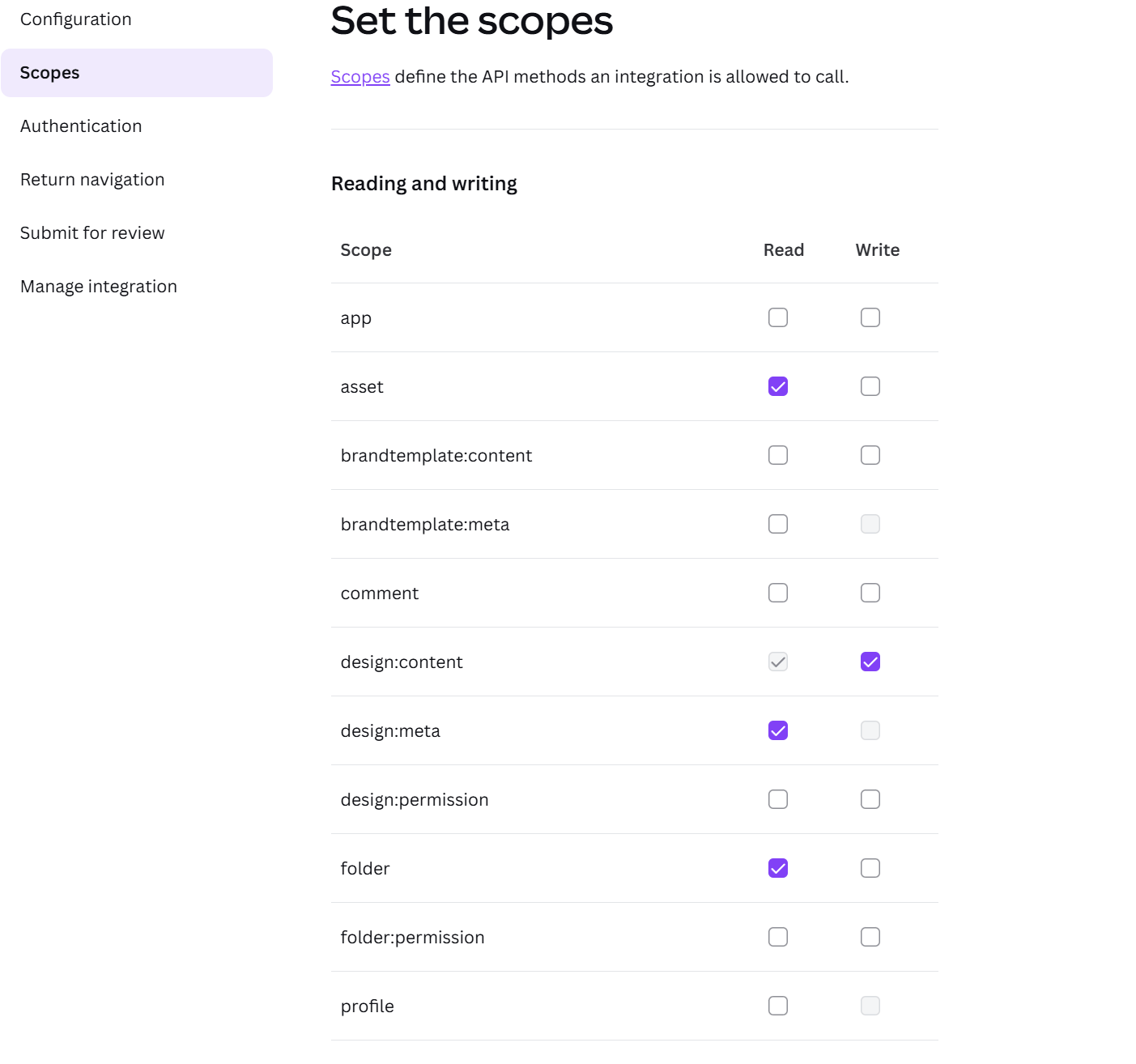
- Go to the Scopes section and enable the required scopes shown below.
- Navigate to the Authentication section.
Set URL1 to:
https://<PADS4Server>/rdx/NDS.Services.Credentials/api/v1/credentials/canva/auth/callback/
Replace<PADS4Server>with the hostname or IP address of your PADS4 server.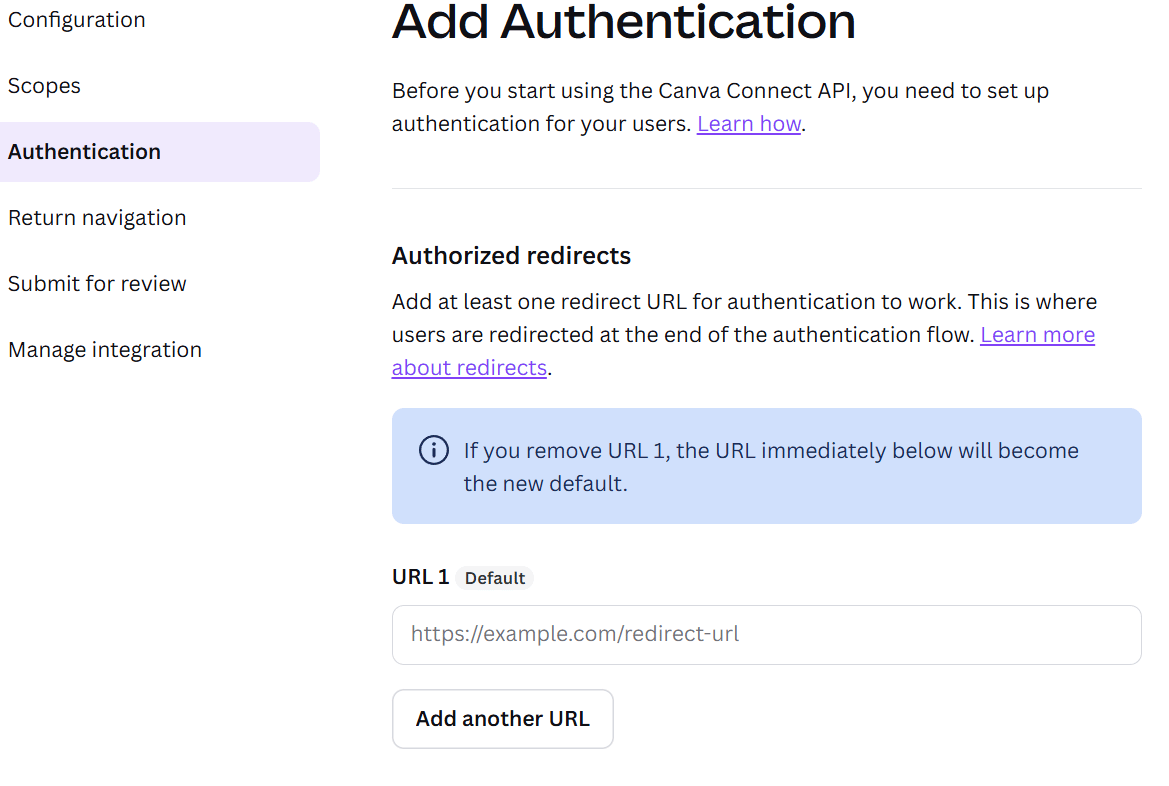
- The Canva setup is now complete. Proceed with configuring the integration in PADS4 using the saved credentials.
Canva
Canva set-up
Create a Canva developer integration in canva.com/developers and generate the client ID and secret needed to connect Canva to PADS4 Designer.