

- Open a web browser and go to https://canva.com/developers.
- Log in to your Canva account.
- Go to Your apps.
- Click Create an app.
- Enter an App name.
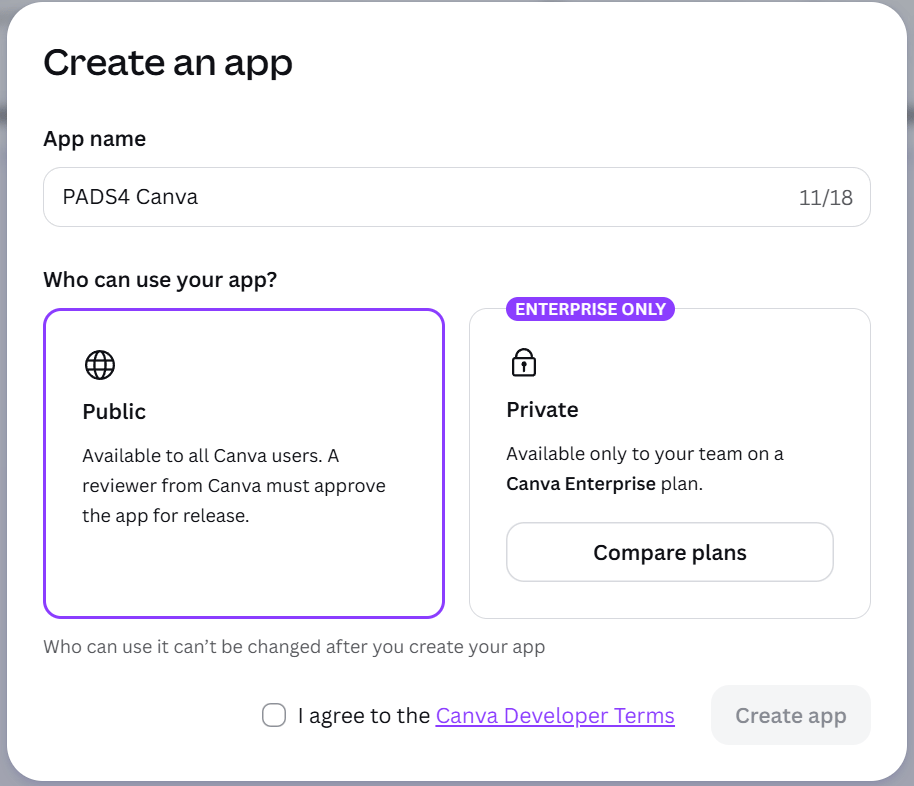
- Select either a Public or Private integration. Accept the Canva Developer Terms and click Create App.
- Select Outside Canva and click Go to setup.
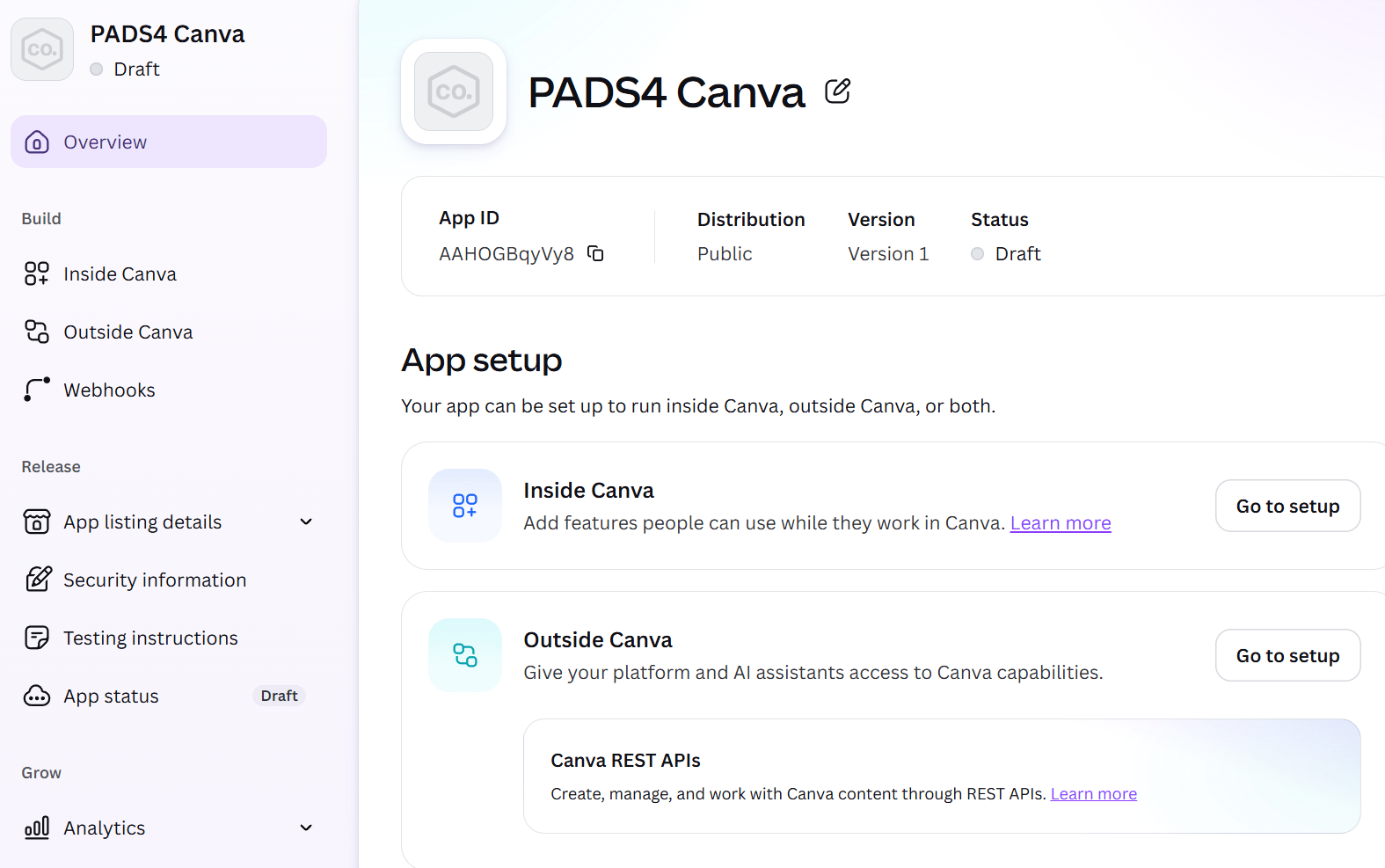
- Click Start integration.
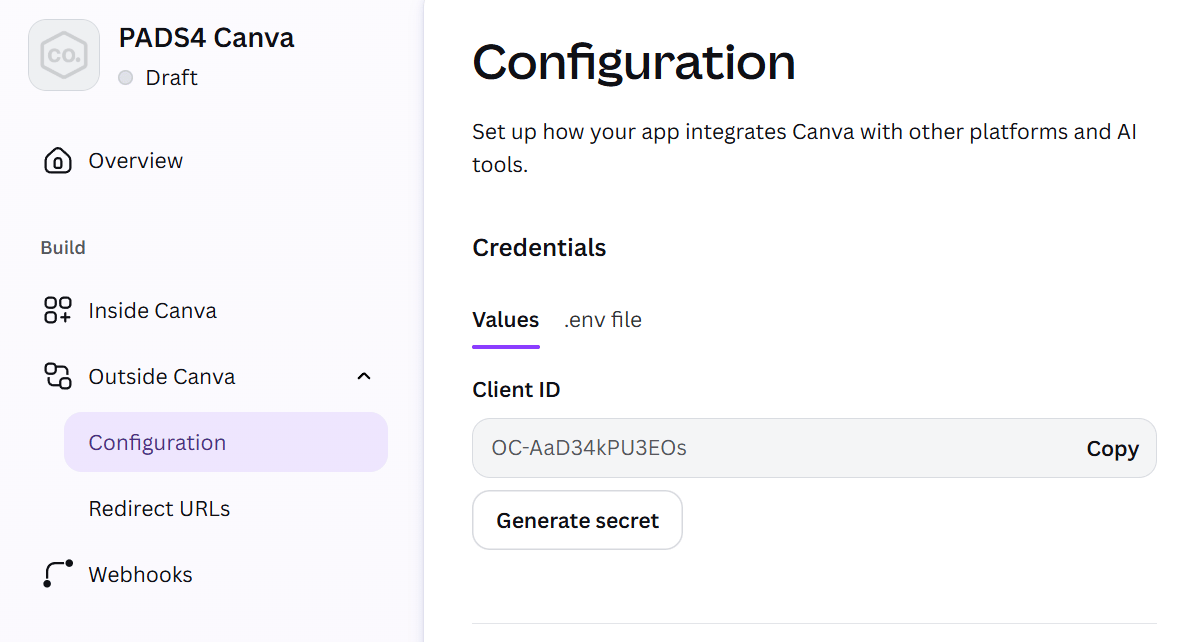
- On the configuration page, enter a name for the integration. Click Generate secret.
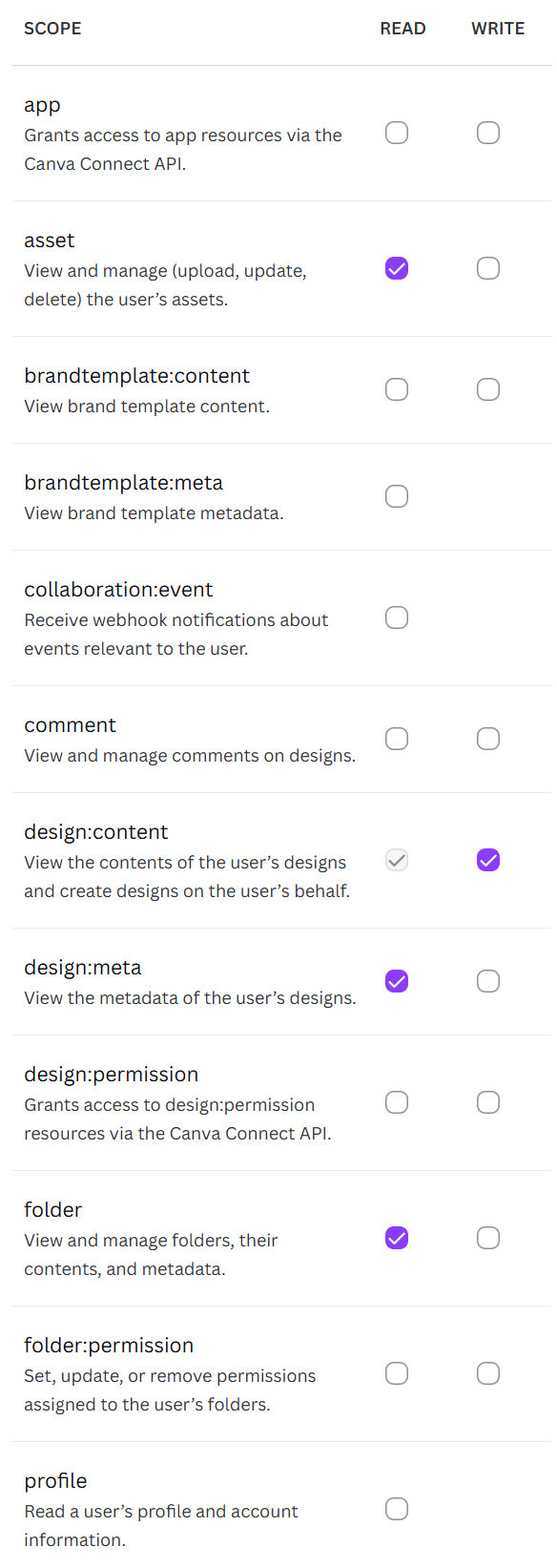
- Go to the Scopes section and enable the required scopes shown below.
- Go to the Authentication section.
Set URL1 to:
https://<PADS4Server>/rdx/NDS.Services.Credentials/api/v1/credentials/canva/auth/callback/
Replace<PADS4Server>with the hostname or IP address of your PADS4 server.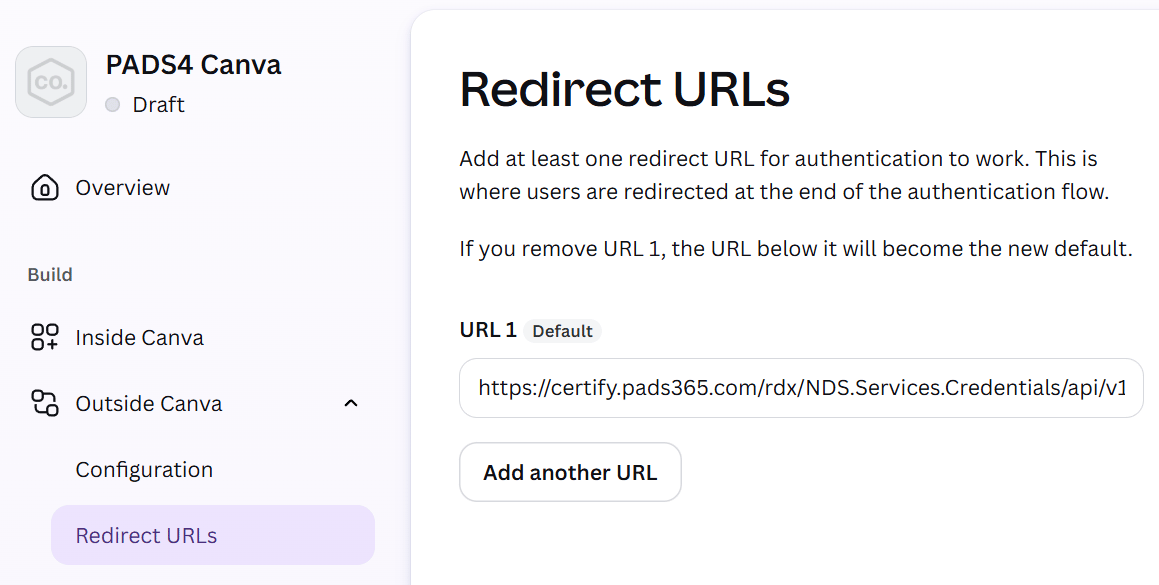
- The Canva setup is now complete. Configure the integration in PADS4 using the saved credentials.
Canva
Canva setup
Walkthrough for each Canva user to create their own developer integration, generate the client secret, and authorize PADS4 to access their Canva account.
Each Canva user must complete this procedure individually. The integration is user-specific and cannot be shared.