

- Enable the module and fill in the information. NDS provides the login credentials.
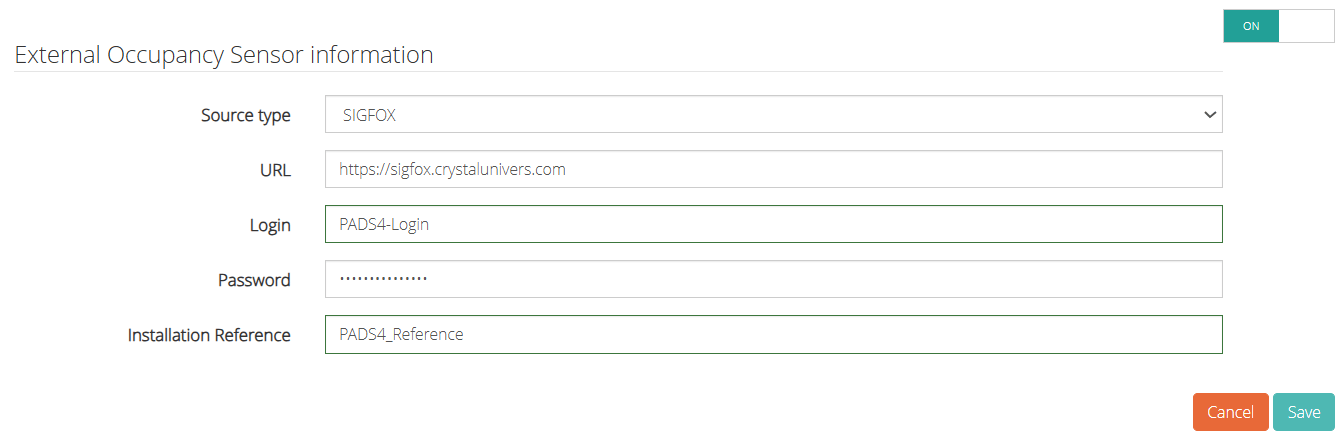
- Navigate to PADS4 Workspace Admin
- Navigate to Occupancy Sensors
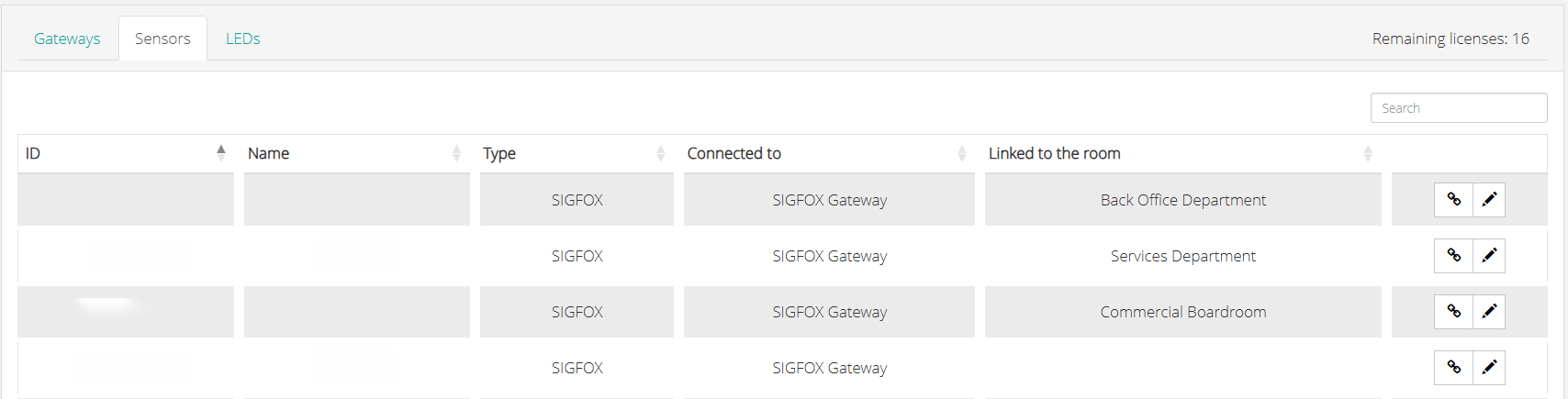
- The Sigfox occupancy sensor will be listed here and will allow you to change the name of the sensor and assign it to a meeting room. Note that it can take a few minutes for the sensors to show up.
- Enable occupancy sensors for the room profile that the meeting room is a member of. You can configure this in the Room Profiles section of PADS4 Workspace Admin.