> ## Documentation Index
> Fetch the complete documentation index at: https://docs.pads4.com/llms.txt
> Use this file to discover all available pages before exploring further.
# Activating PADS4 with a license key
To activate your **PADS4 product**, follow the steps below using the provided **PADS4 license key.**
## Step 1: Open PADS4 CTRL Center
* After installing **PADS4**, browse to the **PADS4 Web Portal.**
If you are going to (re-)activate a PADS4 installation which is already in use, using the su\root is not mandatory, any user with the **System Management + License Management** license can re-activate the installation by going to **Licenses** at the left hand menu.
* Login with the **su\root** user.
* At the top of the screen choose the "**pads**" domain.
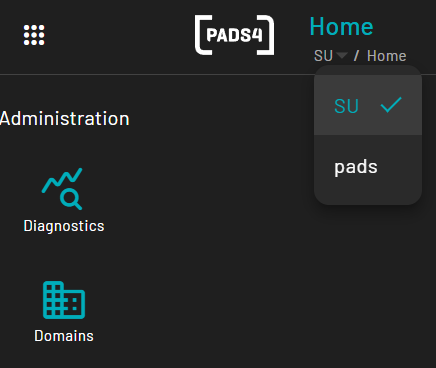 * Now on the left hand menu, "**Licenses**" will appear.
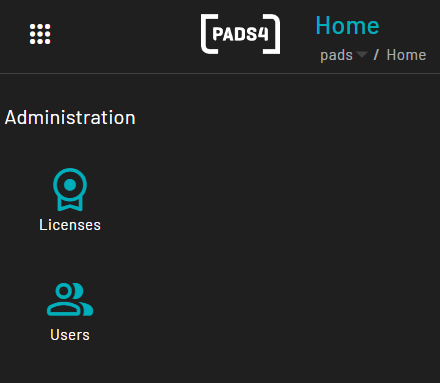 * Click on licenses and press "**Activate"**
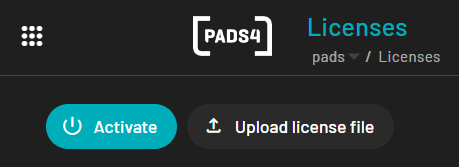 * If an internet connection is unavailable, an **offline activation** method will be displayed.
* Follow the instructions provided on-screen.
* After receiving the **License File**, click **"Upload License File"** and select the file.
* Complete the activation process by following the wizard.
Once activation is complete, your **PADS4 installation is ready for use.**
* If an internet connection is unavailable, an **offline activation** method will be displayed.
* Follow the instructions provided on-screen.
* After receiving the **License File**, click **"Upload License File"** and select the file.
* Complete the activation process by following the wizard.
Once activation is complete, your **PADS4 installation is ready for use.**