> ## Documentation Index
> Fetch the complete documentation index at: https://docs.pads4.com/llms.txt
> Use this file to discover all available pages before exploring further.
# Infos systeme
Avec les fonctions d'informations système, vous pouvez récupérer des informations système détaillées de votre PADS4 Server, PADS4 Viewer ou d'un fichier black box.
#### **Pour récupérer les informations système de votre PADS4 Server**
1. Cliquez sur l'onglet **Server** dans le volet de navigation.
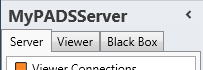 2. Cliquez sur **System info** dans la liste des catégories d'informations serveur disponibles.
Après cela, le système récupérera automatiquement les informations demandées du PADS4 Server connecté et affichera les résultats dans la fenêtre d'informations système. Si votre installation PADS4 comprend des sous-serveurs, vous devez d'abord sélectionner un serveur avant de sélectionner la catégorie d'informations.
#### **Pour récupérer les informations système d'un PADS4 Viewer**
1. Cliquez sur l'onglet **Viewer** dans le volet de navigation.
2. Cliquez sur **System info** dans la liste des catégories d'informations serveur disponibles.
Après cela, le système récupérera automatiquement les informations demandées du PADS4 Server connecté et affichera les résultats dans la fenêtre d'informations système. Si votre installation PADS4 comprend des sous-serveurs, vous devez d'abord sélectionner un serveur avant de sélectionner la catégorie d'informations.
#### **Pour récupérer les informations système d'un PADS4 Viewer**
1. Cliquez sur l'onglet **Viewer** dans le volet de navigation.
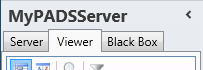 2. Sélectionnez un Viewer dans la liste des destinations disponibles.
3. Cliquez sur **System info** dans la liste des catégories d'informations viewer disponibles.
Après cela, le système se connectera automatiquement au PADS4 Server connecté pour récupérer les informations demandées du Viewer sélectionné et affichera les résultats dans la fenêtre d'informations système.
L'application PADS4 ne pourra commencer à récupérer les informations du viewer demandées que lorsque vous aurez sélectionné à la fois un Viewer et une Catégorie dans le volet de navigation.
#### **Pour afficher les informations système d'un fichier black box**
1. Assurez-vous que la black box a été [ajoutée](https://pads4documentation.blob.core.windows.net/agent/Content/Main%20Window/Navigation%20pane.htm) à l'application.
2. Cliquez sur l'onglet **Black Box** dans le volet de navigation.
2. Sélectionnez un Viewer dans la liste des destinations disponibles.
3. Cliquez sur **System info** dans la liste des catégories d'informations viewer disponibles.
Après cela, le système se connectera automatiquement au PADS4 Server connecté pour récupérer les informations demandées du Viewer sélectionné et affichera les résultats dans la fenêtre d'informations système.
L'application PADS4 ne pourra commencer à récupérer les informations du viewer demandées que lorsque vous aurez sélectionné à la fois un Viewer et une Catégorie dans le volet de navigation.
#### **Pour afficher les informations système d'un fichier black box**
1. Assurez-vous que la black box a été [ajoutée](https://pads4documentation.blob.core.windows.net/agent/Content/Main%20Window/Navigation%20pane.htm) à l'application.
2. Cliquez sur l'onglet **Black Box** dans le volet de navigation.
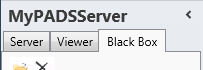 3. Sélectionnez l'élément black box dans la liste des black boxes disponibles.
4. Cliquez sur **System info** dans la liste des catégories d'informations black box disponibles.
Après cela, le système ouvrira automatiquement le fichier black box pour récupérer les informations demandées et affichera les résultats dans la fenêtre d'informations système.
#### **Fenêtre d'informations système**
La fenêtre d'informations système affiche une grande variété d'informations système. Cela vous permet de vérifier à distance des éléments comme la résolution d'écran, le fuseau horaire ou l'espace disque disponible.
3. Sélectionnez l'élément black box dans la liste des black boxes disponibles.
4. Cliquez sur **System info** dans la liste des catégories d'informations black box disponibles.
Après cela, le système ouvrira automatiquement le fichier black box pour récupérer les informations demandées et affichera les résultats dans la fenêtre d'informations système.
#### **Fenêtre d'informations système**
La fenêtre d'informations système affiche une grande variété d'informations système. Cela vous permet de vérifier à distance des éléments comme la résolution d'écran, le fuseau horaire ou l'espace disque disponible.
 #### **Vues**
Par défaut, un résumé avec les informations système clés est affiché. Pour changer la vue afin de vérifier certaines catégories d'informations système, cliquez sur l'un des boutons suivants dans le menu **Home** de la barre de ruban :
*
#### **Vues**
Par défaut, un résumé avec les informations système clés est affiché. Pour changer la vue afin de vérifier certaines catégories d'informations système, cliquez sur l'un des boutons suivants dans le menu **Home** de la barre de ruban :
*  * Affiche un résumé avec les informations système clés. Cela comprend des informations sur le système d'exploitation, le processeur et la mémoire.
*
* Affiche un résumé avec les informations système clés. Cela comprend des informations sur le système d'exploitation, le processeur et la mémoire.
*  * Affiche des informations sur les moniteurs connectés. Des informations par moniteur sont données sur la résolution, l'orientation et divers autres éléments.
Cette vue n'est PAS disponible pour votre PADS4 Server.
*
* Affiche des informations sur les moniteurs connectés. Des informations par moniteur sont données sur la résolution, l'orientation et divers autres éléments.
Cette vue n'est PAS disponible pour votre PADS4 Server.
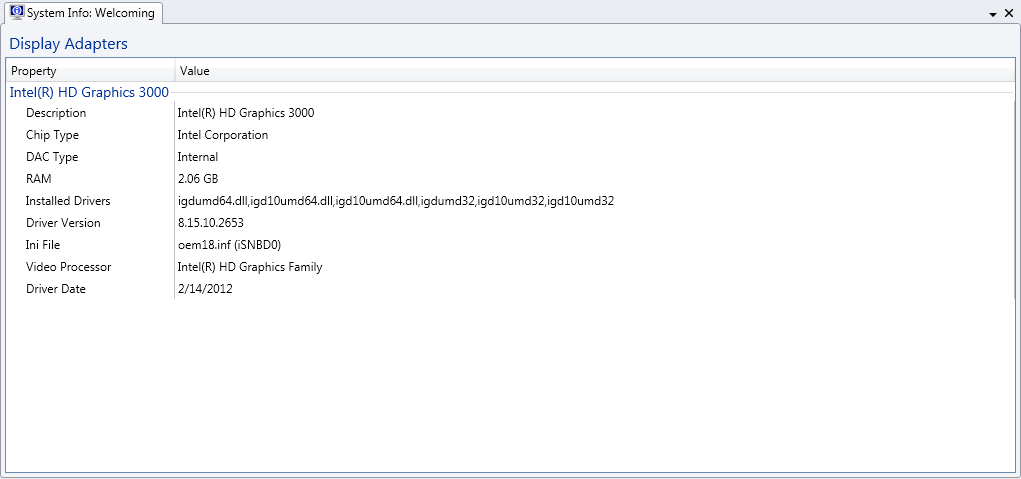
*  * Affiche des informations sur les adaptateurs d'affichage installés. Des informations par adaptateur sont données sur le modèle, la RAM, la version du pilote et divers autres éléments.
*
* Affiche des informations sur les adaptateurs d'affichage installés. Des informations par adaptateur sont données sur le modèle, la RAM, la version du pilote et divers autres éléments.
*  * Affiche des informations sur les adaptateurs réseau installés. Les informations listées comprennent des éléments comme l'adresse MAC, l'adresse IP et les paramètres DHCP.
*
* Affiche des informations sur les adaptateurs réseau installés. Les informations listées comprennent des éléments comme l'adresse MAC, l'adresse IP et les paramètres DHCP.
*  * Affiche des informations sur les disques durs existants et les lecteurs réseau. Pour chaque disque ou lecteur, des informations sont données sur la taille et l'espace libre.
*
* Affiche des informations sur les disques durs existants et les lecteurs réseau. Pour chaque disque ou lecteur, des informations sont données sur la taille et l'espace libre.
*  * Affiche des informations sur les pilotes de codec audio et vidéo installés. Pour chaque codec, des informations sont affichées concernant le fabricant et le numéro de version.