> ## Documentation Index
> Fetch the complete documentation index at: https://docs.pads4.com/llms.txt
> Use this file to discover all available pages before exploring further.
# Ribbon bar
At the top of the main window you find a ribbon bar - a set of toolbars, placed on several tabs - which gives quick access to the key functions of the application.
#### **Overview of the PADS4 Agent ribbon bar**
The PADS4 Agent ribbon bar has been divided in 5 sections called tab groups. You can access them by clicking the respective headers. Detailed information will be provided in topics to follow.
1. File
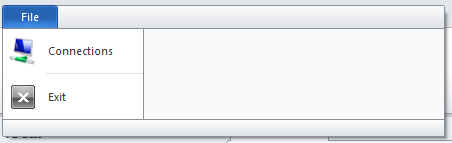 The File tab group contains the most basic functionality for PADS4 Agent, including connection management.
2. Home
The File tab group contains the most basic functionality for PADS4 Agent, including connection management.
2. Home
 The Home tab group is the container for the key functions of the application. These include PADS4 Server connection management, and the most common functions for the chosen information category.
3. View
The Home tab group is the container for the key functions of the application. These include PADS4 Server connection management, and the most common functions for the chosen information category.
3. View
 The View tab group lets you determine the way you want to view your information panels.
4. Tools
The View tab group lets you determine the way you want to view your information panels.
4. Tools
 The Tools tab group provides access to options for the application itself as well as system wide functions.
5. Help
The Tools tab group provides access to options for the application itself as well as system wide functions.
5. Help
 The Help tab group provides access information about the application itself like instructions, version and license details.