> ## Documentation Index
> Fetch the complete documentation index at: https://docs.pads4.com/llms.txt
> Use this file to discover all available pages before exploring further.
# User Interface
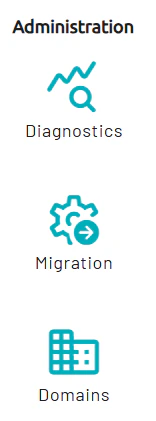
The root access interface in PADS4 is a compact dashboard designed for system-level administration. It typically contains three main sections: **Diagnostics**, **Migration**, and **Domains**.
 ## Diagnostics
The Diagnostics section lets you check whether the PADS4 system is healthy.
* It runs a series of tests against the different PADS4 services.
* Results are shown per service, so you can see which component is functioning correctly and which one needs attention.
* This helps quickly identify configuration issues or service outages before you proceed with further setup or changes.
## Migration
The Migration section is used when a migration step is required during the setup or upgrade process.
* It provides an overview of the migration status and shows progress while data or settings are being migrated.
* You can monitor whether the migration has started, is in progress, or has completed successfully, which helps ensure the environment is ready before you continue configuring domains.
## Domains
PADS4 Domains provide multi-tenant management capabilities within a single PADS4 server.
* Each domain operates as an independent client environment with its own users, content, and configurations.
* From the root interface, you can create new domains, modify the default "pads" domain, or manage domain-specific SSL certificates and DNS settings.
* This section is the central hub for domain administration at the server level.
## Diagnostics
The Diagnostics section lets you check whether the PADS4 system is healthy.
* It runs a series of tests against the different PADS4 services.
* Results are shown per service, so you can see which component is functioning correctly and which one needs attention.
* This helps quickly identify configuration issues or service outages before you proceed with further setup or changes.
## Migration
The Migration section is used when a migration step is required during the setup or upgrade process.
* It provides an overview of the migration status and shows progress while data or settings are being migrated.
* You can monitor whether the migration has started, is in progress, or has completed successfully, which helps ensure the environment is ready before you continue configuring domains.
## Domains
PADS4 Domains provide multi-tenant management capabilities within a single PADS4 server.
* Each domain operates as an independent client environment with its own users, content, and configurations.
* From the root interface, you can create new domains, modify the default "pads" domain, or manage domain-specific SSL certificates and DNS settings.
* This section is the central hub for domain administration at the server level.