> ## Documentation Index
> Fetch the complete documentation index at: https://docs.pads4.com/llms.txt
> Use this file to discover all available pages before exploring further.
# SMTP
Since PADS4 version 2025.2, SMTP configuration is done in the PADS4 Web Portal instead of the CMS 1.0 Admin plugin page.
This document provides step-by-step instructions for configuring SMTP with basic authentication for both the PADS4 Web Portal as well as CMS 1.0 / Workspace.
Our SMTP implementation also supports SMTP with OAuth2 authentication, more information in regards to setting up SMTP with Oauth2 can be found here. [SMTP-Oauth2](https://docs.pads4.com/ctrl-centre/administration/smtp-oauth2/Microsoft)
## How to configure SMTP for your PADS4 server
* To begin:
* Open your **web browser**.
* Navigate to the **PADS4 server URL** (either a DNS name or IP address).
* Log in using an **Administrator account**.
* Click on **config**
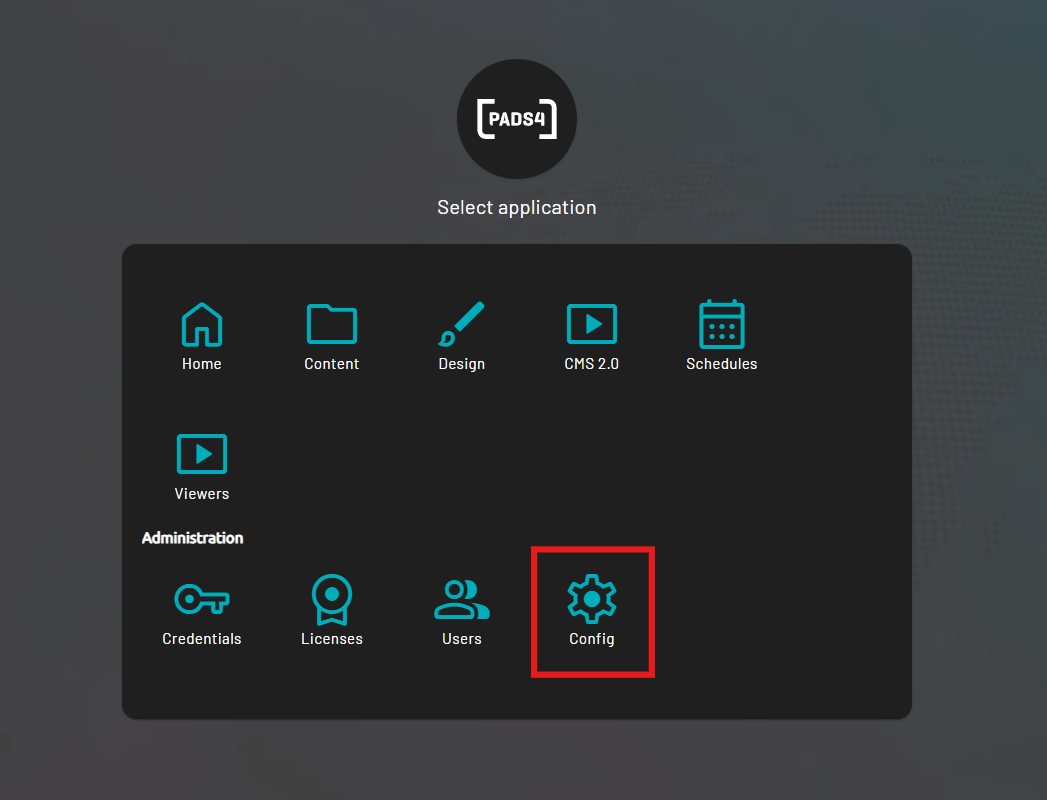 * Or, while you are already logged in:
* Use the **Toggle Sidebar** button at the **top-left** of the screen.
* Navigate to **Config**.
* Then press **Edit.**
* Or, while you are already logged in:
* Use the **Toggle Sidebar** button at the **top-left** of the screen.
* Navigate to **Config**.
* Then press **Edit.**
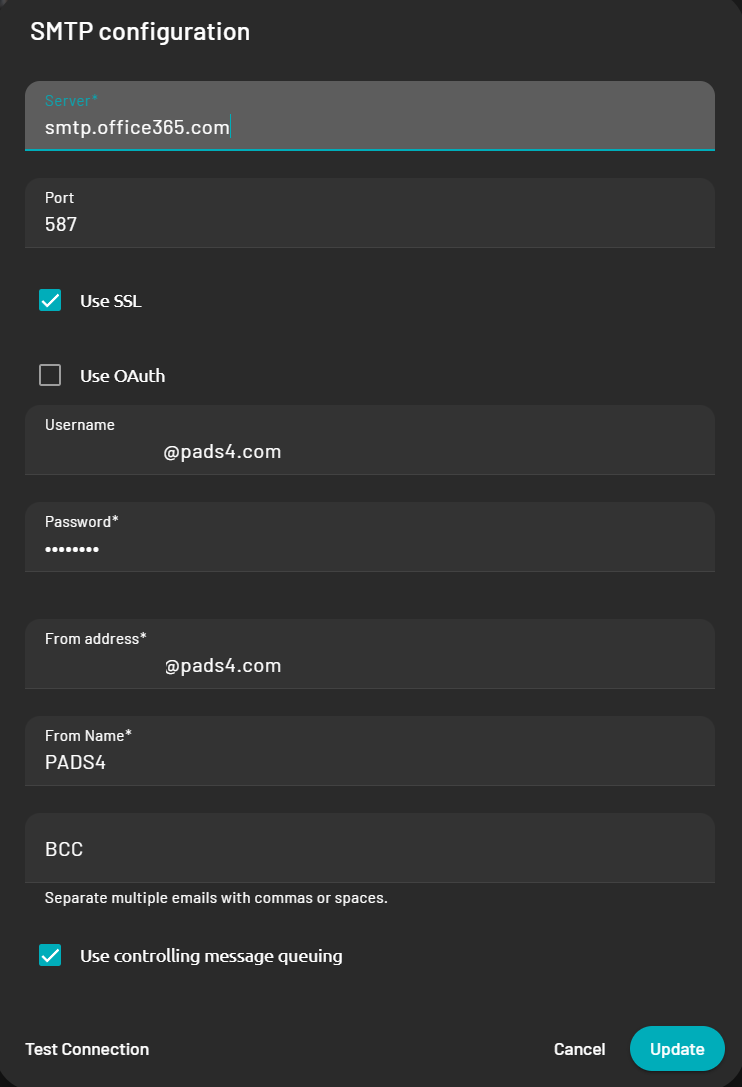 * Fill in your SMTP server and account details
* You can then test the connection at the bottom left which will return a green checkmark if the connection is properly configured.
* Fill in your SMTP server and account details
* You can then test the connection at the bottom left which will return a green checkmark if the connection is properly configured.
