> ## Documentation Index
> Fetch the complete documentation index at: https://docs.pads4.com/llms.txt
> Use this file to discover all available pages before exploring further.
# Active Directory
Since **PADS4 version 2025.2**, this plugin is managed from the **Credentials** section in PADS4 CTRL Center, providing a cohesive user management system within a single environment.
Use this plugin to connect an **Active Directory (LDAP)** server to your PADS4 environment.
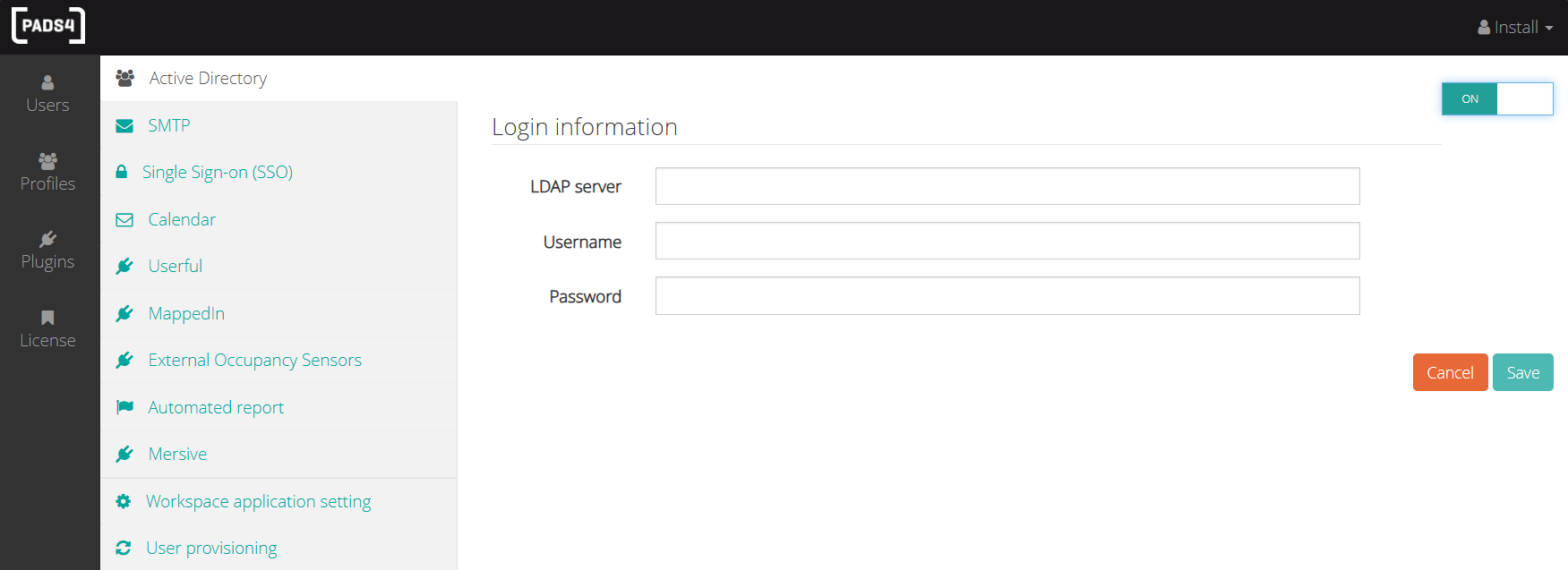 * Enter your **LDAP server**, **username**, and **password** to establish a secure connection.
The LDAP server address requires to have the following format: **LDAP://**\
* Once connected, you can import users from Active Directory directly through the **Users** tab in each module.
* Enter your **LDAP server**, **username**, and **password** to establish a secure connection.
The LDAP server address requires to have the following format: **LDAP://**\
* Once connected, you can import users from Active Directory directly through the **Users** tab in each module.